01 / SEE
Know what needs attention
See overdue, due-today and upcoming items. Track proposals, payments, job applications, refunds and more.
Replies. Payments. Refunds. Applications.
Track your pending items, choose a follow-up date, and draft a message when it is time to check in.
Early Access · 10 languages · No subscription · No automatic sending
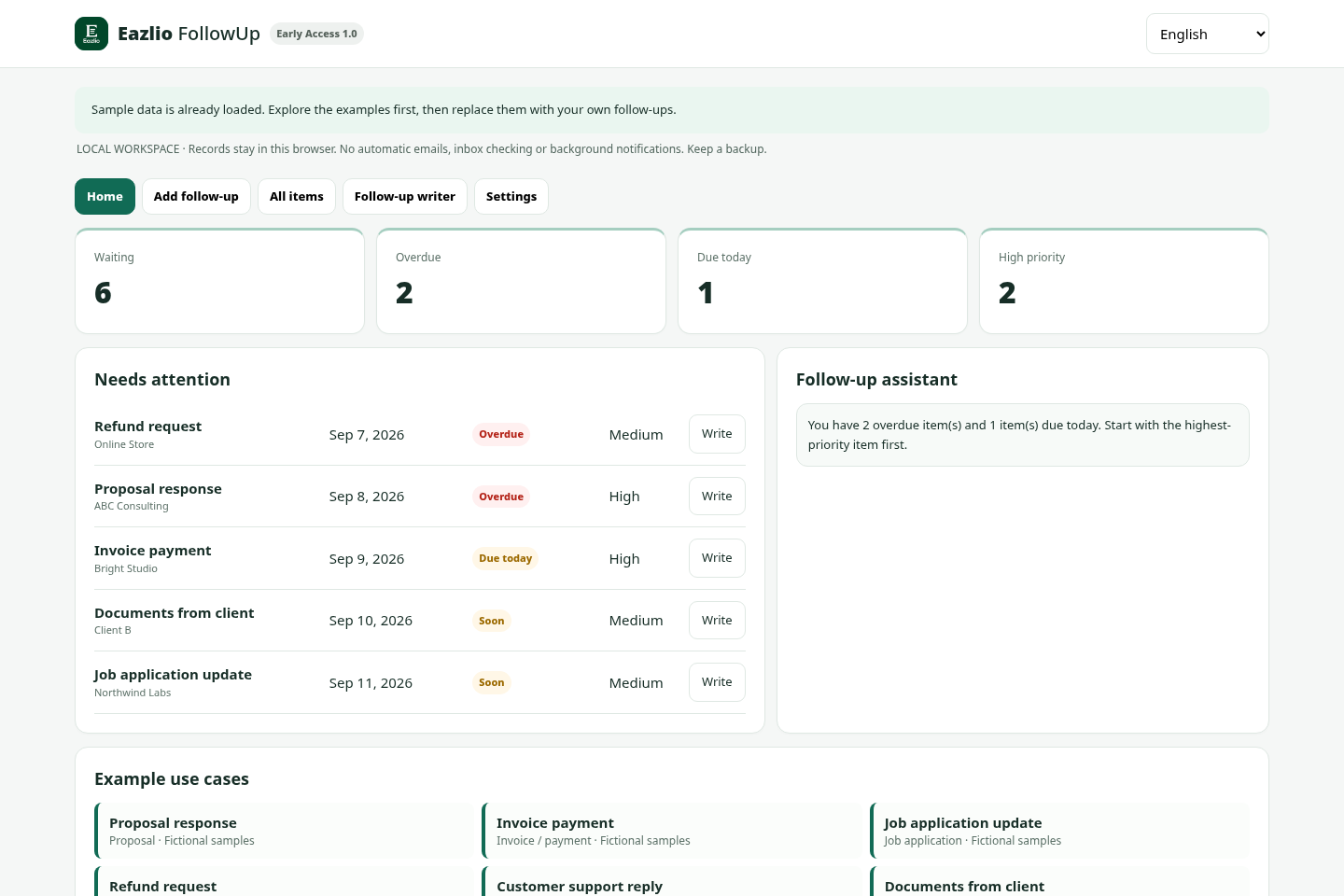
See overdue, due-today and upcoming items. Track proposals, payments, job applications, refunds and more.
Choose a template in 10 languages and one of four tones. Edit the draft and copy it into your email or chat.
Edit items, mark them done, record a follow-up you sent yourself, and set the next date. Export CSV and JSON backups.
The message language follows the interface by default. Switch it separately whenever you need to.
English · 日本語 · Español · Français · Deutsch
Português · 简体中文 · 한국어 · हिन्दी · العربية
Arabic right-to-left display supported. Names and custom titles stay as entered; this is not an automatic translation service. Review every draft before sending.
Explore before you buy.
One-time payment. No subscription.
Final tax and total, if applicable, appear at checkout. No lifetime-update promise.
No. It highlights dates while you use it. There are no background notifications, calendar connections or automatic emails in this release.
A ready-to-download ZIP containing the app, an Eazlio logo asset and instructions. Extract it and open index.html in your desktop browser. Chrome and Edge are the intended browsers. There is no app account or separate software installation.
In local storage for that browser and page location. They are not synchronized across devices. Private browsing, clearing browser data, or changing the file location can affect access to them. Download JSON backups regularly. Backups are not encrypted.
The demo shows the core workflow with fictional samples only. The downloadable edition adds your own records, editing, completion, CSV export and backup/restore. The browser-only demo is not a security or license enforcement mechanism.
No. Eazlio FollowUp is a separate product for waiting items and follow-up drafts. It does not include the bookkeeping product and has its own purchase link.
The seller's contact information will be shown once paid checkout opens. Customers also receive support contact information with their Lemon Squeezy receipt.